Your account
Your ideas and history
What is saved where, how your ideas reach other devices, and how to find them again.
What is saved, and where
| Signed out | Signed in | |
|---|---|---|
| Your canvases | This browser only | This browser and your account |
| Edits | Saved in this browser as you make them | Saved in this browser, then copied to your account a moment later |
| Who can open them | This browser only | You, on any device you sign in on |
| Your API key | This browser only | This browser only — never stored with your account |
| Shared links | Readable by anyone with the link | Readable by anyone with the link; only you can change them |
Your account is the safe copy; the browser is where you work. If you are offline or the server cannot be reached, you keep working and the account catches up when the connection returns. The avatar shows a small dot when something has not been saved to your account yet.
Your account page
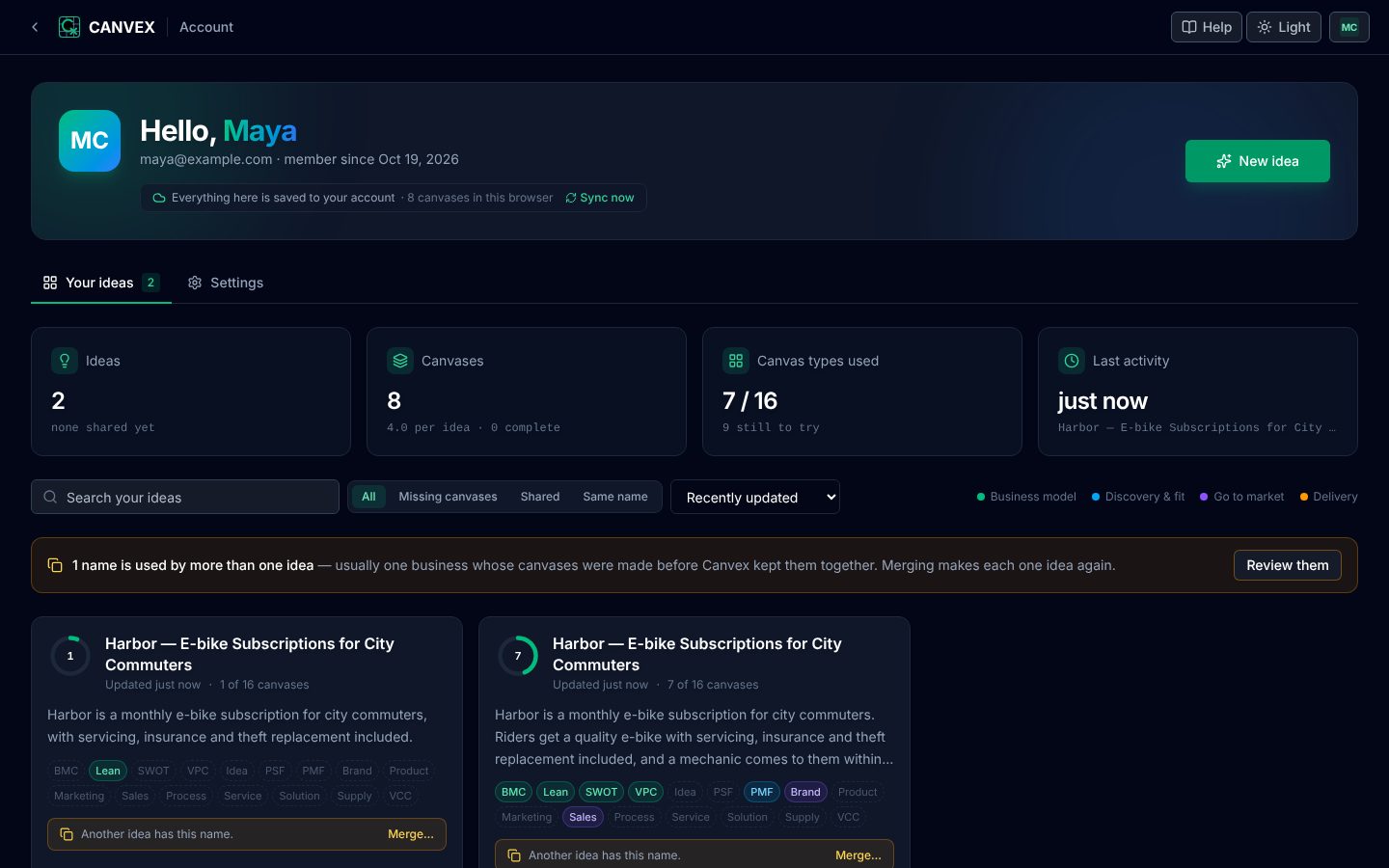
/account — or Your ideas in the menu under your initials — is the home of everything you have made.
- At the top — your sync status with Sync now, and New idea, which takes you back to the generator.
- At a glance — how many ideas and canvases you have, how many of the sixteen canvas types you have used, and when you last worked.
- Your ideas — one card per idea. The ring shows how many of the sixteen canvases it has; the pills underneath are every canvas type, coloured where the idea has one (click it to open that canvas) and outlined where it does not. The footer suggests which to make next.
- Find an idea — search by name or description, sort by recent, name or number of canvases, and filter to ideas that are missing canvases, that you have shared, or that share a name with another.
What you can do with an idea
| Action | What it does |
|---|---|
| Open | Opens the idea at the canvas it started as. Or click any coloured pill to open that canvas. |
| Everything (.zip) | Downloads every canvas of the idea in every format — see Export. |
| Offline page (.html) | Downloads one file with every canvas built in, readable without an internet connection. |
| Share | Publishes the idea and copies its link. See Sharing. |
| Delete | Removes the idea and all its canvases from your account and from this browser, after you confirm. |
Ideas with the same name
Canvases made before Canvex grouped them into ideas sometimes appear as several ideas with one name — three "Unified Digital Experience Platform" ideas of one canvas each, say. When that happens a banner says so; Review them shows them side by side, and Merge ideas with this name… joins them into one idea.
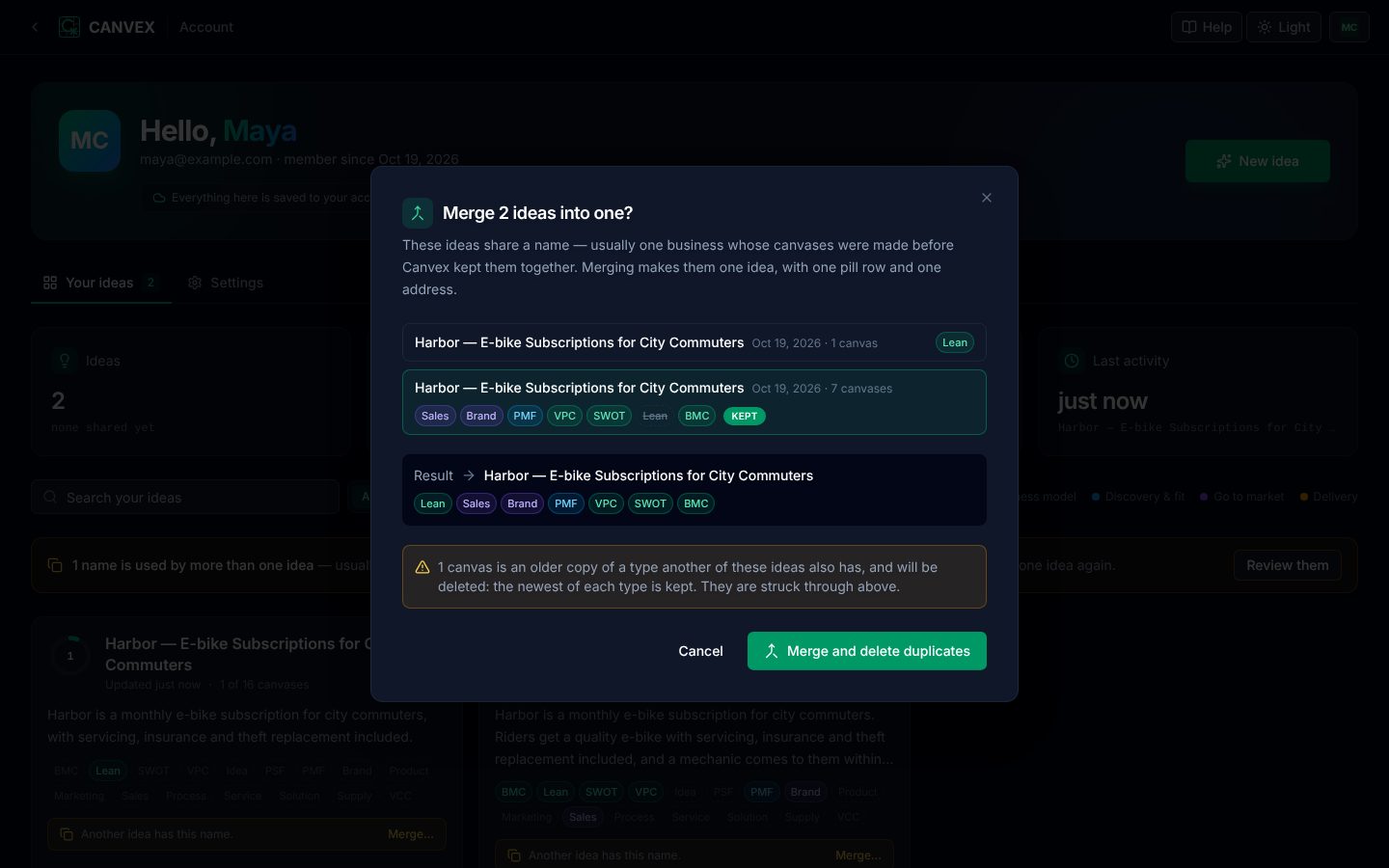
Before anything changes, the dialog shows the result: one idea with one pill per canvas type. Where two of the ideas both have a canvas of the same type, the newest is kept and the older one is struck through and deleted — download it first if you want it.
Settings
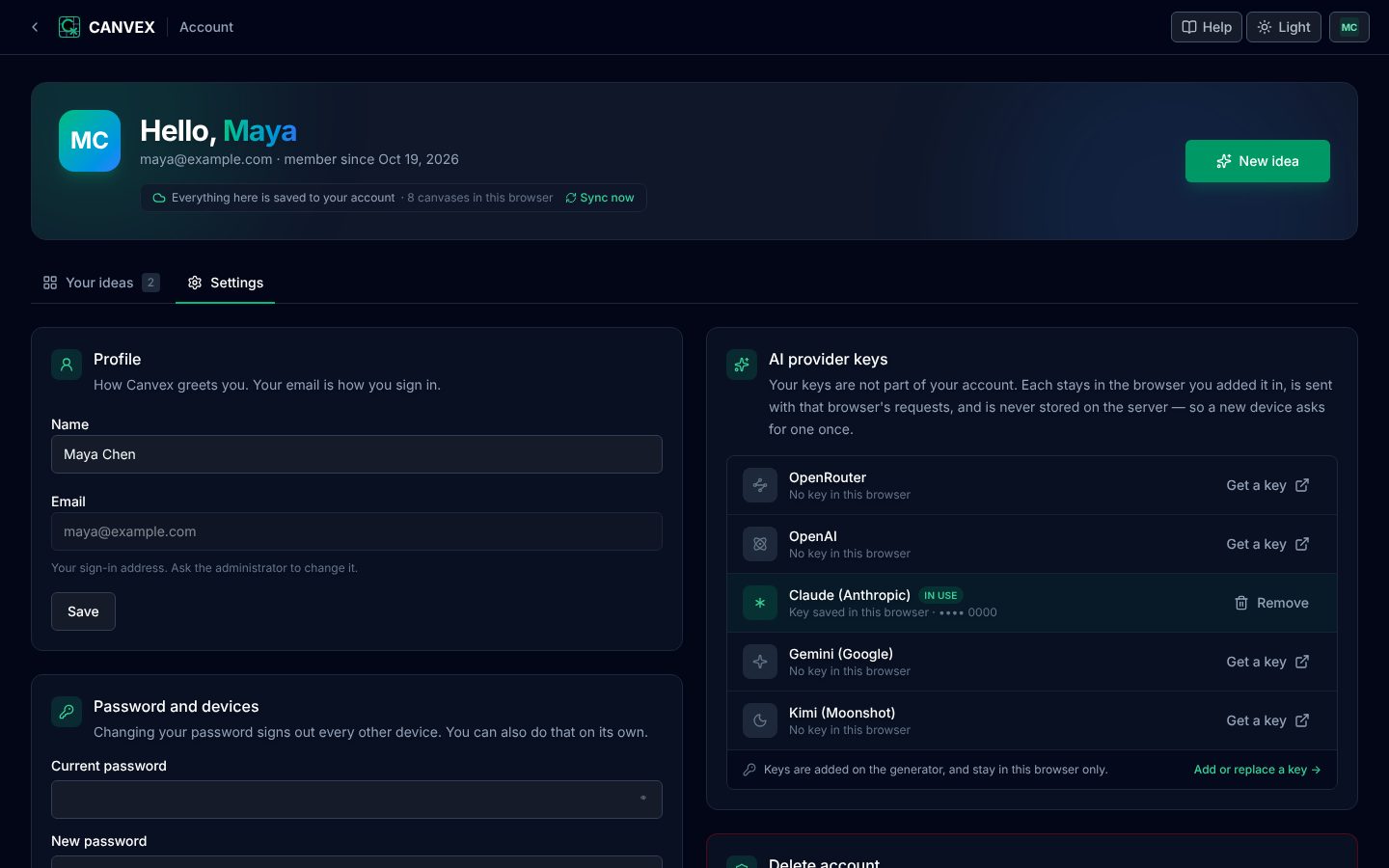
- Profile — your name. To change your email address, ask the administrator.
- Password and devices — change your password, which signs out every other device; or Sign out other devices on its own, for example after using a shared computer.
- AI provider keys — which providers have a key in this browser, which one is in use, and links to get one. Keys stay in this browser and are never stored with your account.
- Delete account — see below.
Finding an idea again
- Account page — /account, with search and filters.
- Load — on any canvas, Load lists the ideas in this browser, including those brought in from your account.
- Address — every idea has its own address,
canvex.org/canvas/<idea>/<canvas>. Bookmark it; while you are signed in it opens on any device. Nobody else can open it unless you share it.
Deleting your account
Delete account, under Settings on /account, removes your account and every canvas stored with it on the server — including ones you shared, whose links stop working. It asks you to confirm first and cannot be undone. Export anything you want to keep beforehand: Everything (.zip) on the Export menu keeps a whole idea in every format.